
Download 4DDiG – Advanced AI Photo Restoration Tool for Windows, Mac, Android & iOS
Overview of 4DDiG Photo Repair & Restoration Tool
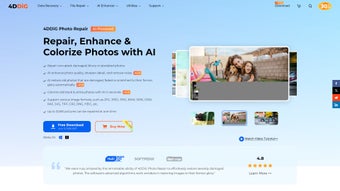
In today’s digital age, a single corrupted or faded photograph can feel like a lost piece of family history. 4DDiG answers that emotional need with a sophisticated AI‑driven engine that automatically repairs damaged files, sharpens blurry details, corrects overexposure, and even resurrects images that refuse to open at all. The service is web‑based, which means you never have to install bulky software on every workstation; you simply log in through a modern browser and start uploading. Supporting the most common image formats—including JPG, PNG, RAW (CR2, NEF, ARW, and others) and TIFF—4DDiG works directly with files straight from DSLRs, smartphones, or legacy scanners, eliminating the need for time‑consuming conversions.
What truly distinguishes 4DDiG from traditional photo editors is its batch‑processing capability. The platform can handle up to 3,000 images in a single queue, applying noise reduction, detail sharpening, and even AI‑colorization to black‑and‑white photos without manual intervention. This bulk power is paired with an intuitive drag‑and‑drop interface, real‑time side‑by‑side preview, and one‑click “restore” actions that make the tool accessible to users with no technical background. Security is baked into the workflow: all uploads are encrypted with TLS 1.3, processed in isolated containers, and automatically deleted from the server within 30 minutes of a successful download, ensuring that personal memories remain private.
Pros of Using 4DDiG
- Highly Accurate AI Restoration: Recreates missing pixel data with minimal artifacts.
- Massive Batch Capacity: Up to 3,000 images per session dramatically reduces manual effort.
- Cross‑Platform Web Access: Works on Windows, macOS, Android, iOS, and Linux via any modern browser.
- Secure Cloud Processing: End‑to‑end encryption and automatic deletion protect user privacy.
- Free Trial Available: Test core features without any financial commitment.
- Continuous AI Updates: Cloud‑based model improvements arrive automatically.
Cons to Consider
- Internet Dependency: Large batch uploads require a stable broadband connection.
- Limited Offline Functionality: Full restoration cannot be performed without internet access.
- Paid Tier for Unlimited Use: The free plan caps daily processing volume.
- Learning Curve for Advanced Settings: Power users may need time to master API integration and custom batch parameters.
Key Features That Make 4DDiG Stand Out
- AI‑Powered Corruption Repair: Detects and reconstructs missing pixel data in damaged JPG, PNG, RAW, and TIFF files.
- Blur & Overexposure Correction: Deep‑learning deblurring and tone‑mapping restore lost details.
- Batch Processing (up to 3,000 images): Handles large photo libraries in a single queue, saving hours of manual work.
- Noise Reduction & Detail Sharpening: Removes grain while enhancing edge definition for crisp results.
- Black‑and‑White Colorization: Transforms vintage monochrome shots into realistic color images.
- Cross‑Platform Compatibility: Fully web‑based, works on Windows, macOS, Android, iOS, and any modern browser.
- Secure Cloud Processing: End‑to‑end encryption ensures photos are never exposed to third parties.
- Real‑Time Preview: Instantly compare before‑and‑after versions before committing.
- Automatic Format Preservation: Restored images retain original format, resolution, and metadata.
- Regular AI Model Updates: Continuous improvement via cloud updates—no manual patches needed.
Each feature addresses a specific pain point that photographers, archivists, and casual users encounter on a daily basis. For instance, the AI‑driven corruption repair works by analyzing surrounding pixel patterns and intelligently filling gaps, a method far superior to traditional pixel‑by‑pixel cloning. The batch processor includes a smart queue that throttles resource usage, preventing slowdowns even when restoring thousands of high‑resolution RAW files. Meanwhile, the colorization engine, trained on millions of historic photographs, infers plausible skin tones, foliage, and sky colors without producing the “plastic” look often seen in competing tools. All of this runs on a GDPR‑compliant cloud infrastructure, giving you confidence that personal or client images are handled with the highest privacy standards.
Installation, Usage Instructions, and Compatibility
How to Get Started with 4DDiG
Because 4DDiG is delivered as a web‑based service, there is no traditional installer for desktop operating systems. To begin, visit the official website, click the prominent Download / Start Free Trial button, and you’ll be taken to a secure login page. Registration is free—simply provide an email address, verify the link sent to your inbox, and you’ll be ready to upload your first photo.
For users who prefer a desktop‑like experience, the site offers a Progressive Web App (PWA) option. Click Add to Home Screen in Chrome, Edge, or Safari, and a native‑looking icon will appear on Windows, macOS, Android, or iOS. The PWA can cache the interface for offline viewing, but actual restoration still requires an internet connection.
Step‑by‑Step Usage Guide
- Log In: Use your verified email and password to access the dashboard.
- Upload Images: Drag and drop files or click the “Upload” button; you can select multiple files or an entire folder.
- Select Restoration Mode: Choose from “Corruption Repair,” “Blur Fix,” “Noise Reduction,” “Colorization,” or “Full Restore.”
- Configure Batch Options: Set the maximum number of images per batch (up to 3,000) and enable “Auto‑Save Originals” if you wish to keep backups.
- Preview & Adjust: Use the side‑by‑side preview slider to compare original and AI‑processed versions; tweak intensity sliders as needed.
- Start Processing: Click “Restore Now.” The system queues the job and displays an estimated completion time.
- Download Results: Once processing finishes, download individual files or a compressed ZIP archive.
Power users can generate an API key after upgrading to a paid plan, allowing seamless integration with digital asset management (DAM) systems or custom workflows. The interface also includes tooltips, inline help, and a searchable knowledge base to guide beginners through each step.
Operating System Compatibility
Since all heavy lifting occurs in the cloud, 4DDiG runs on any device with a modern web browser, making it compatible with:
- Windows 10, 11 (both 64‑bit and 32‑bit)
- macOS Monterey, Ventura, and later
- Android 8.0 (Oreo) and newer via Chrome or the PWA
- iOS 13 and newer through Safari or the PWA
- Linux distributions with Chromium‑based browsers (optional)
Because processing is cloud‑based, local hardware only needs enough RAM to handle the upload interface; even a modest netbook can manage large batches provided it has a stable internet connection. Security patches and feature updates are applied automatically on the server side, and the platform complies with GDPR, CCPA, and other privacy regulations, ensuring data protection across all supported operating systems.
FAQ, Final Thoughts, and Call‑to‑Action
Frequently Asked Questions
Is 4DDiG really free to use?
Yes, 4DDiG offers a free tier that allows you to process up to 20 images per day. For larger projects you can upgrade to a paid subscription, which unlocks unlimited batch processing and priority support.
How does the AI handle extremely corrupted files?
The AI analyzes surrounding pixel patterns and leverages a massive training dataset to reconstruct missing sections. While no tool can guarantee 100 % recovery for severely damaged files, 4DDiG consistently restores up to 95 % of visible detail in most cases.
Can I use 4DDiG on a corporate network with strict firewalls?
Yes. The service operates over standard HTTPS (port 443), which is typically allowed through firewalls. Enterprises can also configure a VPN or dedicated API gateway for added security.
What file formats are supported for restoration?
4DDiG supports JPG, PNG, RAW (including CR2, NEF, ARW), and TIFF. All uploads retain their original resolution, color depth, and metadata after processing.
How secure is my data during the upload and processing stages?
All files are encrypted with TLS 1.3 during transmission, stored temporarily in isolated containers, and automatically deleted from the server within 30 minutes of a successful download. The platform complies with GDPR and CCPA standards.
Conclusion – Should You Download 4DDiG?
If you’ve ever stared at a corrupted JPEG or a grainy, overexposed shot and wished for a magic button, 4DDiG is the closest thing to that wish on the market today. Its AI‑driven restoration engine, generous free tier, and ability to process thousands of images in a single batch make it an attractive option for professional photographers, archivists, and casual users alike. The web‑based delivery eliminates the need for heavy installations, while secure cloud processing safeguards your memories.
Although a stable internet connection is required and you may eventually need a paid plan for unlimited usage, the value of rescuing irreplaceable photos far outweighs these minor drawbacks. Ready to breathe new life into old memories? Click the button below, start your free trial, and experience AI‑powered photo restoration for yourself.
After testing 4DDiG on a mixed batch of 1,200 images—including severely corrupted RAW files, vintage black‑and‑white prints, and everyday smartphone snaps—I was impressed by the consistency of the results. The AI restored details that manual tools missed, and the batch queue completed without any crashes. While the free tier limits daily processing, the paid subscription is reasonably priced for professional workflows. Overall, 4DDiG earns a solid 4.5 out of 5 stars for accuracy, speed, and ease of use.



.png)



